User Survey
Understanding motivations, trust concerns and sustainability behaviours.
Case Study
A redesigned claiming experience that brings clarity, trust, and smoother pickup communication to OLIO’s community of neighbours sharing unused items.

01 — Overview
OLIO’s mission of reducing food waste immediately stood out to me, but after using the app, I found that discovering items and arranging collections felt more complicated than they needed to be. While the platform had a strong purpose and active community, the overall experience lacked clarity, making key tasks less intuitive for users.
For this project, I explored how a complete visual redesign could improve the journey from discovering an item to collecting it. Using user research, competitor analysis and usability testing, I identified opportunities to simplify navigation, improve item discovery and reduce friction throughout the collection process. The result is a redesigned experience that aims to better support both users and OLIO’s sustainability mission.
02 — Problem Framing
Before making design decisions, I wanted to understand where users experienced the most friction within OLIO’s existing journey. I explored the current experience through user research, competitor analysis and usability evaluation, focusing on the steps between discovering an item and successfully arranging collection.
I used three research activities to understand where users experienced friction in the discovery and collection journey.
Understanding motivations, trust concerns and sustainability behaviours.
Evaluating friction points in the existing collection journey.
Exploring how similar platforms handle discovery, trust and communication.
These findings helped shape the main design decisions behind the redesign.
Finding relevant items relied heavily on users manually searching and filtering. This created unnecessary effort when users wanted quick access to nearby available items.
Improve browsing through clearer categories, search visibility and item presentation.
Users cared about item quality, expiry dates and pickup details before committing to a collection.
Redesign item pages to prioritise important information and increase trust.
After requesting an item, users needed reassurance about what happens next.
Create a smoother transition between requesting an item and arranging collection.
These insights helped define the direction of the redesign, focusing on improving discovery, increasing user confidence, and creating a smoother collection experience.
03 — What Success Looked Like
Two success metrics guided every design decision:
To achieve these outcomes the UX needed to drive faster decisions, fewer errors, and higher confidence.
04 — Research & Key Insights
Too Good To Go, Freecycle, and Vinted helped benchmark how pickups are structured, how trust is communicated, and how search/filtering is exposed. OLIO felt less predictable, less visually structured, and slower to understand.
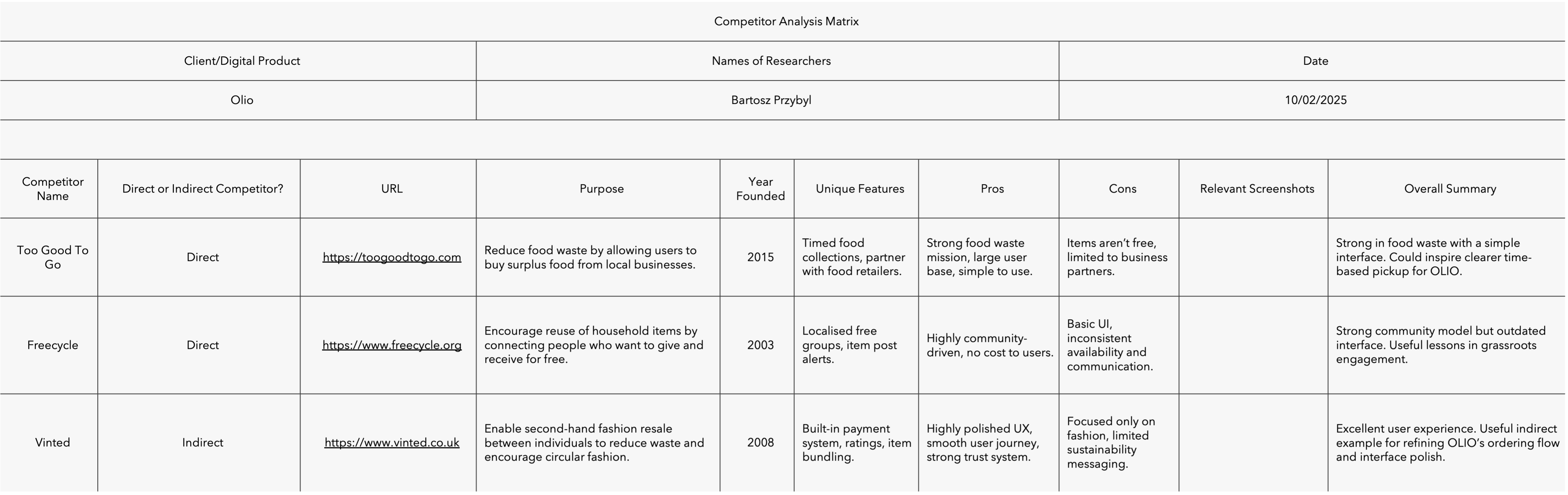 Competitor comparison board.
05 — Usability Issues Found
These moments of doubt appeared exactly when users should have felt confident pressing "Request."
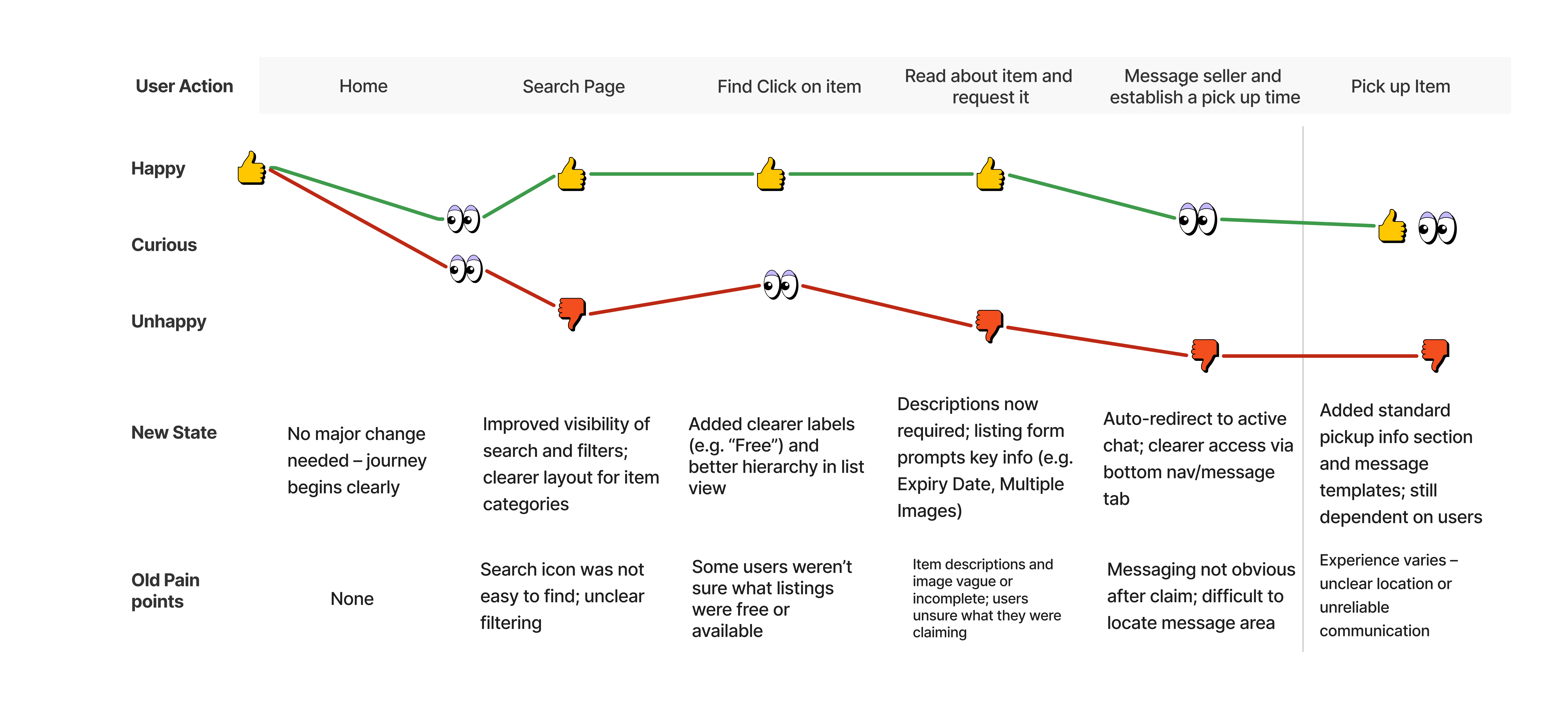
06 — User Journey Redesign
The new journey emphasises clarity, confirmation, and predictability:
07 — Design System & Low-Carbon Approach
To keep the interface accessible and sustainable I used:
The result: faster load times, lower energy use, and better accessibility.
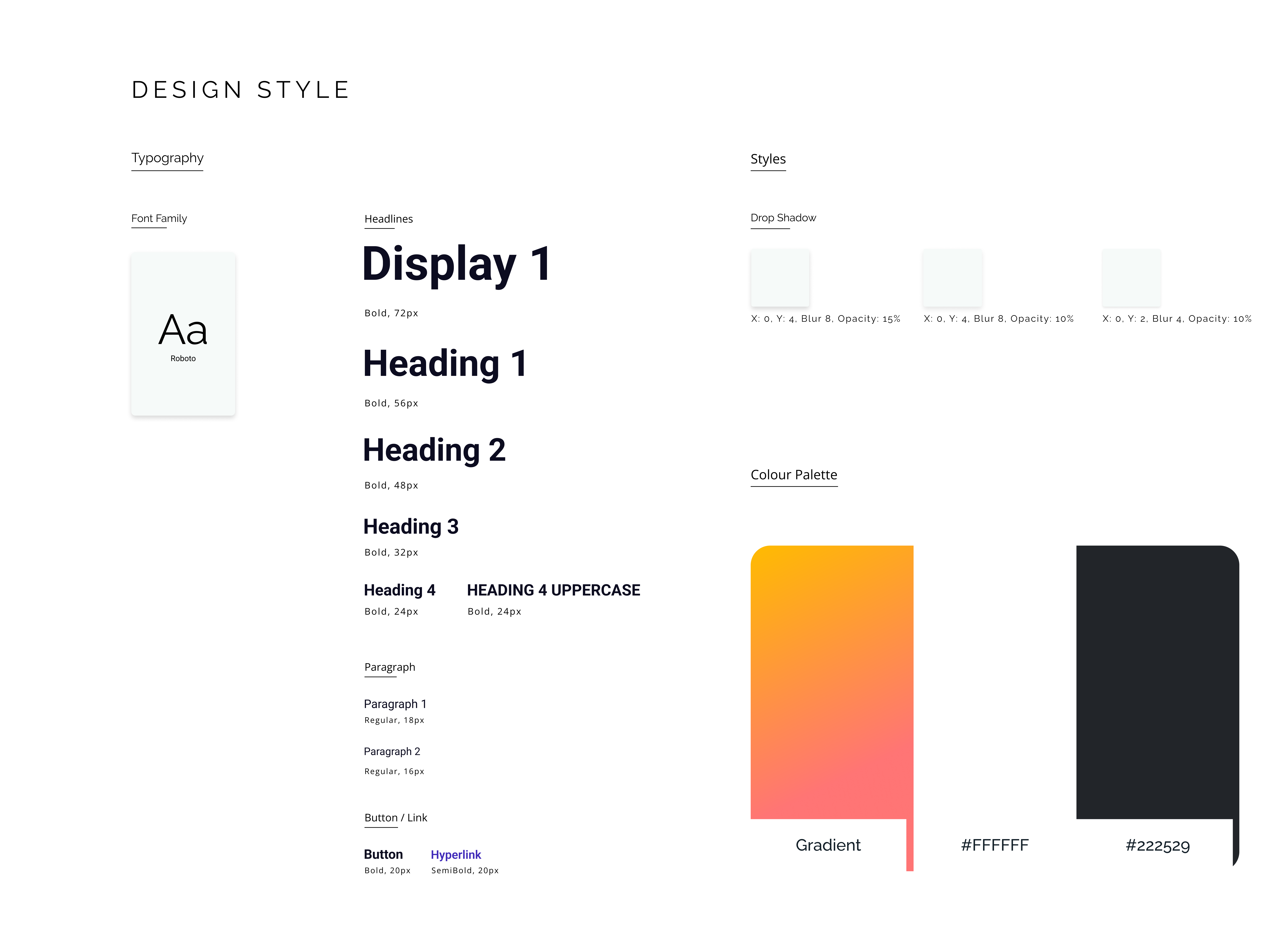 Style guide board.
08 — Key UX Improvements
The collage below stitches these flows together so every improvement is visible at a glance.
Want to try the full clickable prototype? Explore it on Figma →
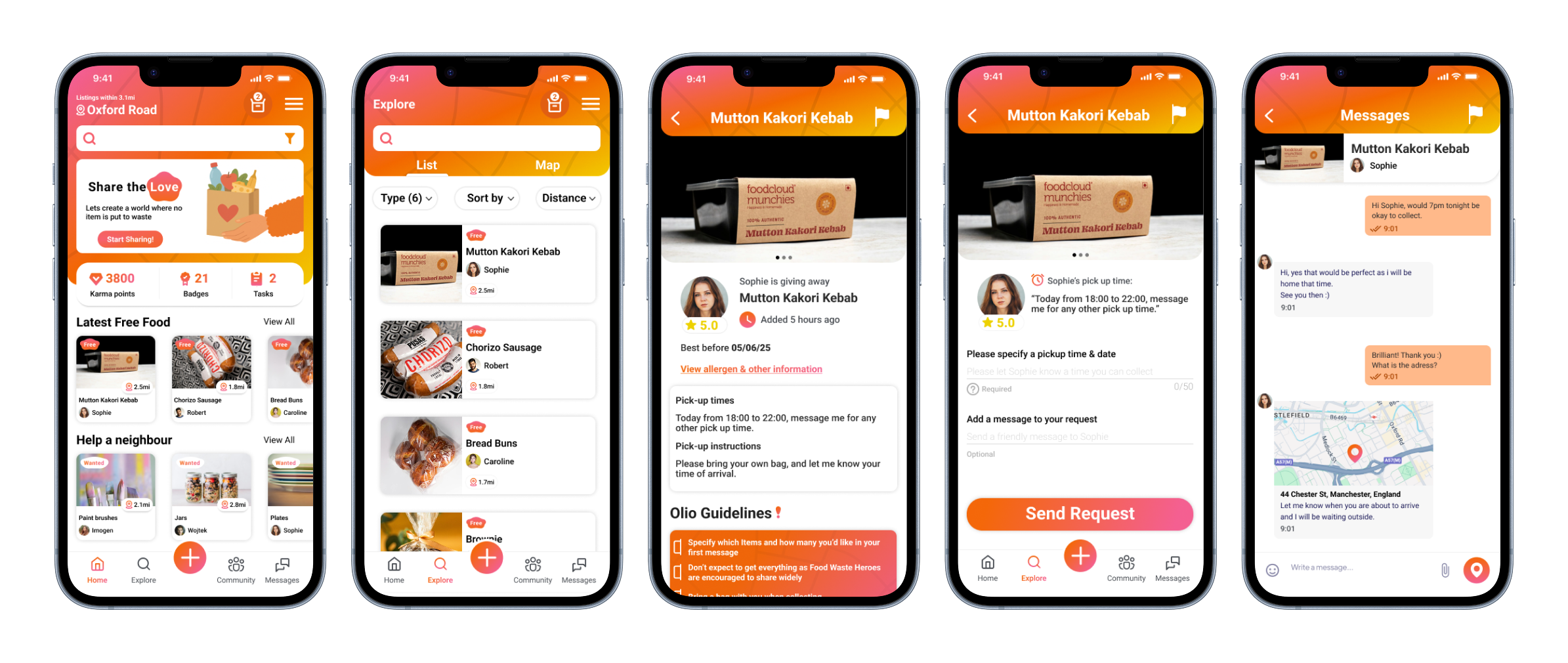 Key OLIO screens highlighting discovery, item, and messaging flows.
09 — Usability Testing
Participants: 2 UX students · 1 non-UX mobile user.
These insights informed better feedback states, icon visibility, and interaction consistency.
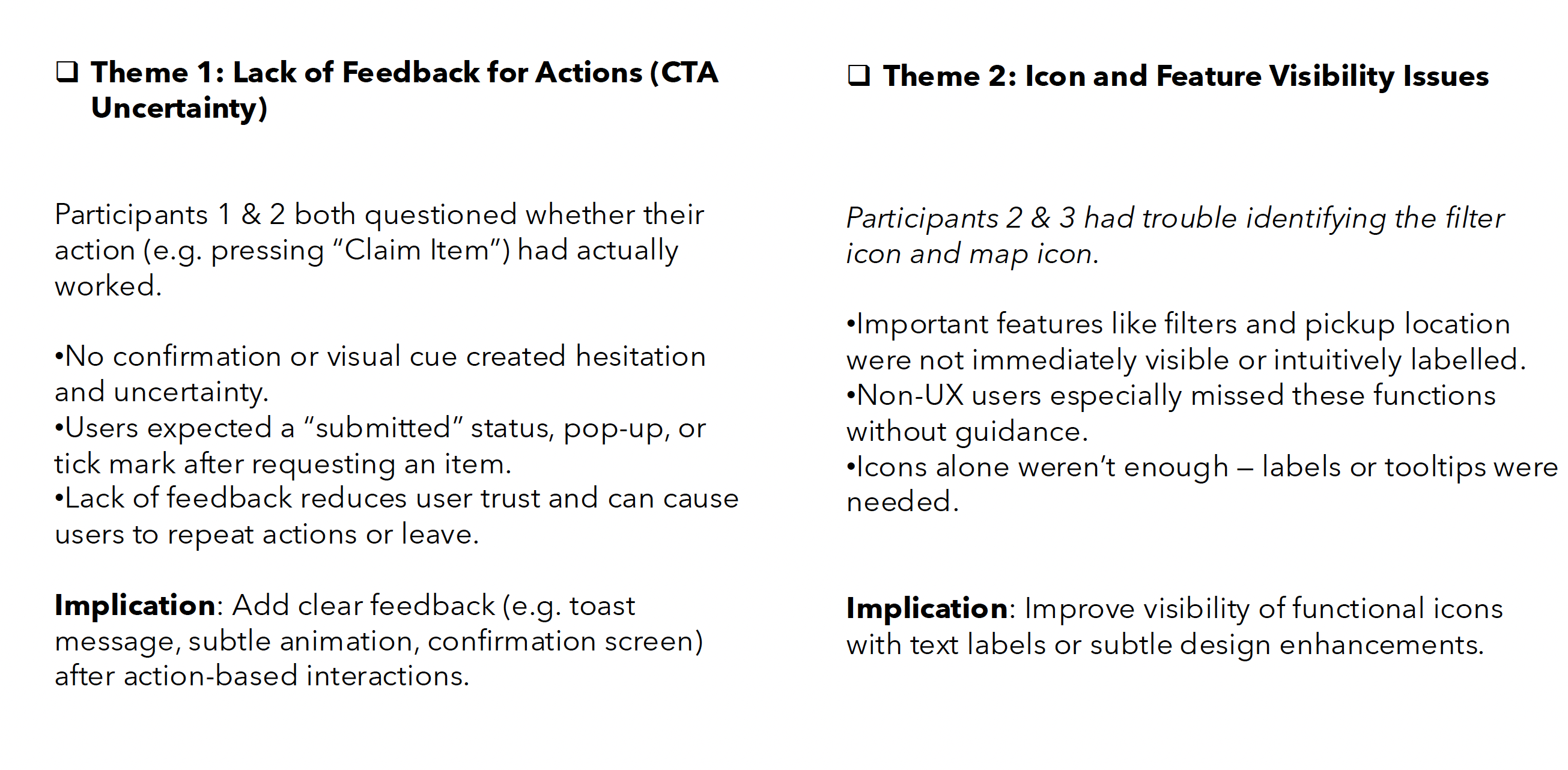 Testing notes.
10 — Final Outcome
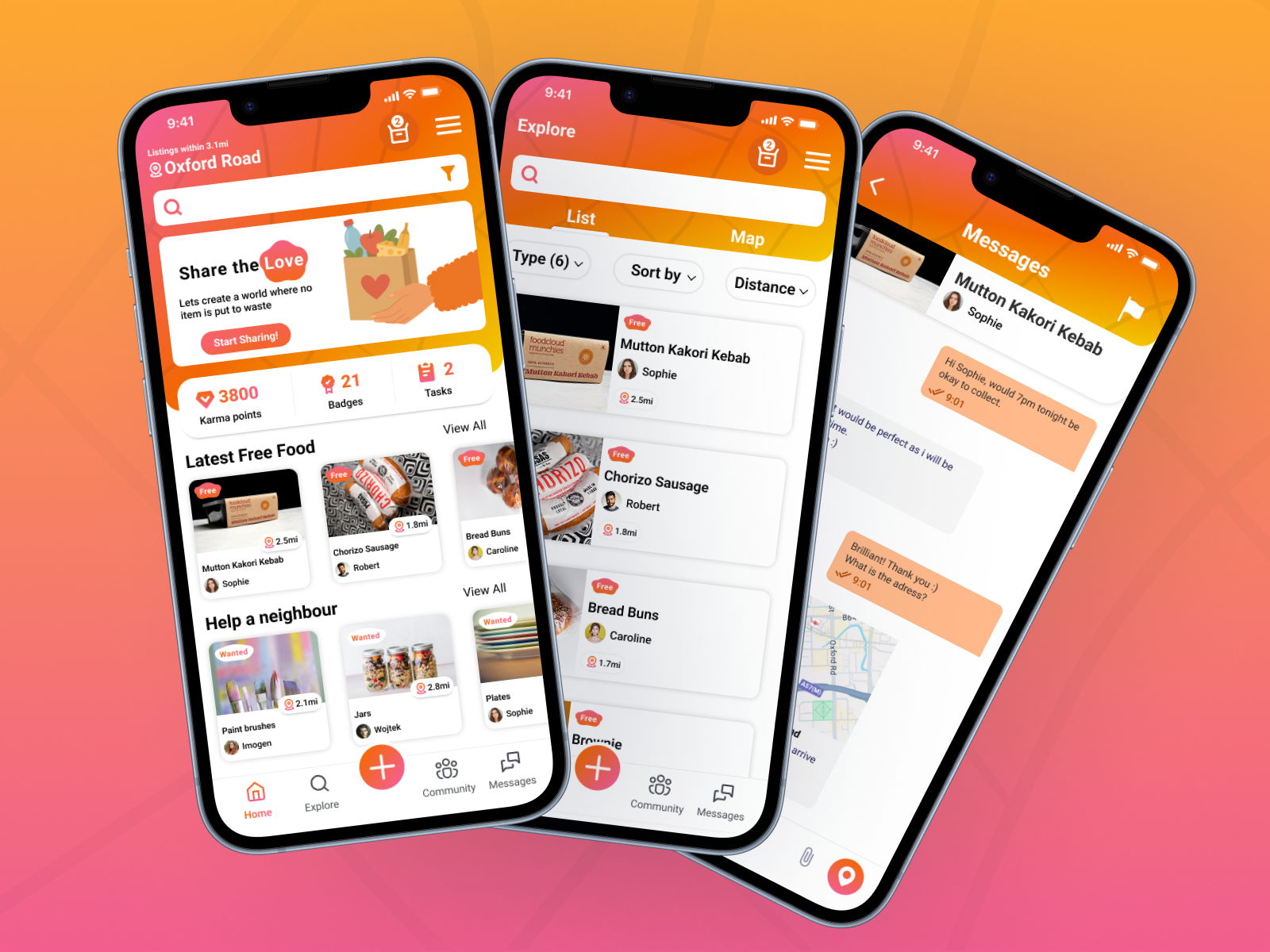 Final high-fidelity OLIO overview.
11 — Reflection
This project strengthened my ability to translate research into practical UX decisions, design for trust, apply low-carbon thinking, and increase confidence through small UI changes. Clarity and feedback directly influenced how many items were successfully claimed.
Want to try the full clickable prototype? Explore it on Figma →
Let’s set up a case study session. I’ll bring the prototypes and the stickman will bring snacks.